 Ilayantech
7 Signs Your Business Has Outgrown Spreadsheets (and What to Do Before 2027)
Spreadsheets are great for working things out. They are less great as the system your whole business runs on. If you are typing things twice, arguing about whose numbers are right, or only one person knows how the file works, it is time to start moving up a step.
If you've ever wondered whether you've outgrown spreadsheets, you probably already have a hunch. The end of the year is a good moment to look at how your business actually runs, and to decide what you'd like to fix before 2027 starts.
Almost every business starts on spreadsheets, and honestly, that's the right call. They're quick, everyone knows them, and they bend to whatever you need on day one. The trouble is that they bend a bit too easily. One day you look up and the whole business is quietly running on a file that three people edit and one person understands. Here are the signs we see most often.
7 signs you have outgrown spreadsheets
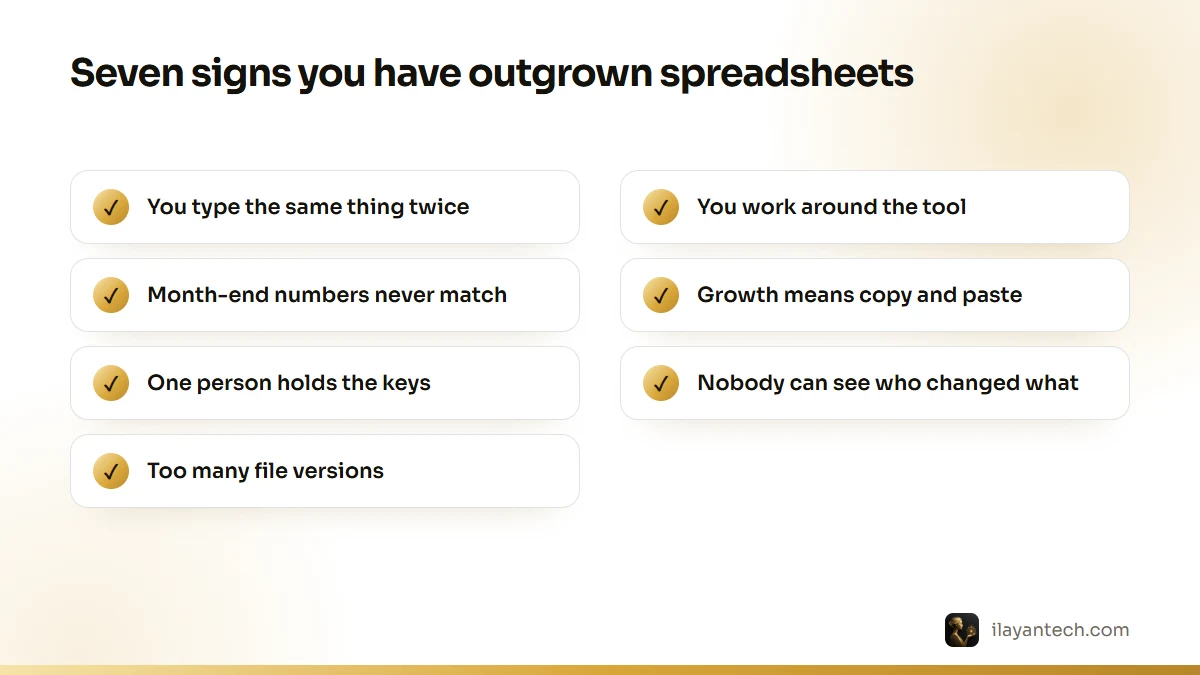
1. You type the same thing twice. Or three times.
A sale goes into the billing file, then the stock sheet, then the monthly report. Every copy is a chance for a typo, and none of it is work anyone enjoys. If you have to re-enter things, your tools aren't talking to each other.
2. Month-end is a detective story
Sales say one thing, stock says another, and someone spends a day working out which is right. Even when they find the answer, nobody's quite sure they trust it.
3. One person holds the keys
There's always a colleague who built the sheet, knows the odd formula in column Q and the rule about not touching the yellow cells. It works until she goes on holiday. Or leaves.
4. There are too many versions
You know the file names. "Final", "Final v2", "Final v2 (Rahul edits)". When several people work on copies, nobody can say which one is right, and changes disappear without a trace.
5. You've bent the process around the tool
Colour codes, reminder notes, an extra column that means "ignore the one next to it". If your team keeps inventing tricks to make the sheet cope, the sheet is now running the process instead of supporting it.
6. Growth means copy and paste
A new branch, a new service line, a new hire, and the answer is "make another copy of the file". If your growth plan involves duplicating things and hoping, it's worth stopping to think.
7. Nobody can see who changed what
Who changed that price? Who deleted that row? Spreadsheets rarely say. And if you need some people to see certain information and others not to, a spreadsheet is a weak answer.
Why spreadsheets break down as you grow
A spreadsheet is brilliant at calculating and analysing. But when it becomes your database, your approval process and your record of what happened, it's doing three jobs it wasn't built for.
There's no real way to stop someone typing text where a number should go. There's no check that two people didn't enter the same customer. Rules live in people's heads rather than in the system. And as more people touch the file, the chance of an unnoticed mistake keeps climbing. None of this is a criticism of spreadsheets. It's just a mismatch between the tool and the job.
What it quietly costs you
- Time spent re-typing, reconciling and chasing the right version.
- Mistakes that reach customers, like wrong prices or stock you don't have.
- Risk when one person's absence stops a process.
- Slower decisions, because nobody trusts the numbers enough to act.
- Stress, which is hard to measure but easy to feel at month-end.
What a better month-end looks like
Imagine a small business with two outlets. Today, closing the month means collecting each outlet's billing file, matching it against the stock sheet, chasing a few missing entries by phone, and then building a summary. It takes a day or more, and everyone crosses their fingers.
After connecting billing and stock in one system, closing the month means opening a report. The numbers already agree, because they came from the same place. The day of detective work becomes an hour of checking. That's the real prize: not fancy features, but getting your time and your confidence back.
Objections we hear (and honest answers)
"Everyone already knows Excel." That's true, and it's a real advantage. But familiarity isn't the same as fitness. If people spend hours each week working around the sheet, the familiar tool is already costing you.
"We can't afford new software." Add up the hours spent re-typing, reconciling and fixing mistakes. Many businesses find the current approach costs more than they thought. And you don't have to start big: tidying up and one ready-made tool can be modest first steps.
"Our process is too unusual for any tool." Sometimes that's true, and that's when building something custom makes sense. But often the process is less unusual than it feels, and a ready-made tool covers most of it.
"We'll lose our data." Not if you move carefully: clean the data, test a small batch, and run both systems for a while. Keep a copy of the original files until you're sure.
"My team won't like it." They won't, if it's imposed on them. They often do, if they helped pick it and it removes the tedious parts of their day.
So what now? A ladder of fixes
Relax, you don't have to leap straight into a software project. Think of it as a ladder, and only climb as far as you need to.
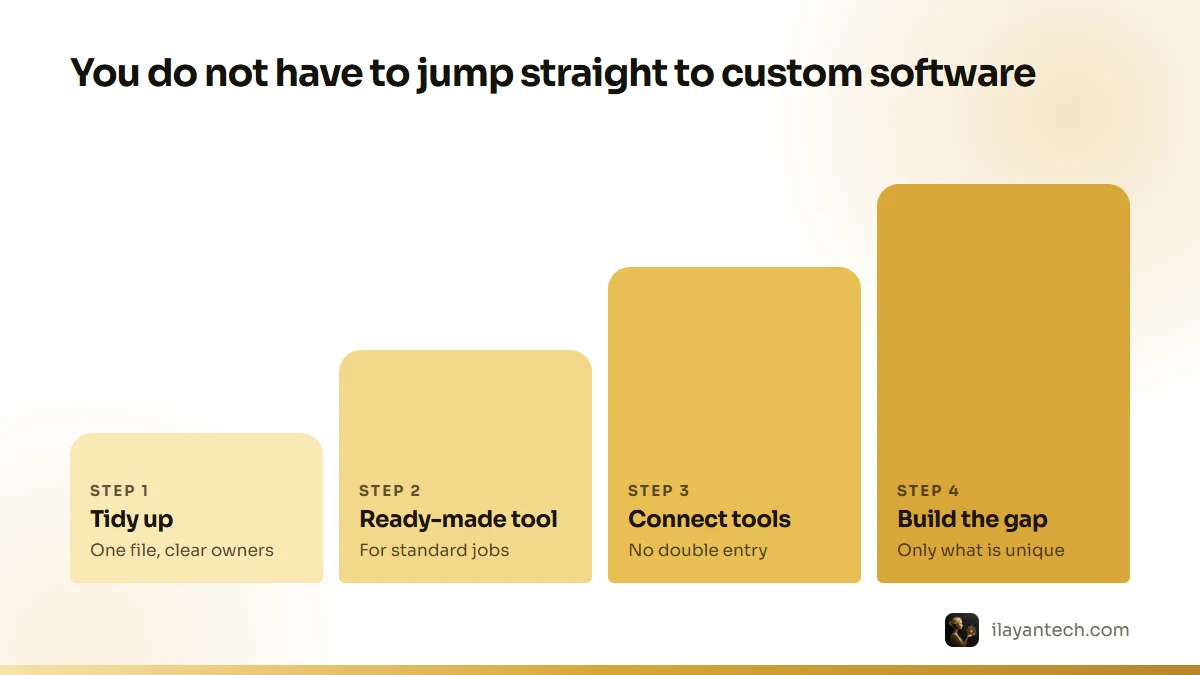
- Tidy what you have. One shared file, clear owners, locked formulas, a short guide. This alone solves more than people expect.
- Use a ready-made tool for the standard jobs. Invoicing, customer lists and project tracking are well covered.
- Connect your tools so data moves between them automatically, and the double entry disappears.
- Build the missing piece. When your workflow is genuinely yours, or spans several tools, custom software can pull it together. Our piece on custom software vs off-the-shelf software helps you judge when that's worth it, and this one explains what it costs.
Moving without chaos
The biggest worry people have is disruption. It's a fair worry, and it's manageable if you go step by step.
- Pick one process. The one that annoys everyone most. Leave the rest for later.
- Write down how it works today, including the awkward exceptions that always get forgotten.
- Clean your data before you move it. Duplicates and inconsistent names will follow you into the new system.
- Try it with a small group first and listen to what they find irritating.
- Run old and new side by side for a little while before switching the old one off.
- Train people briefly and name someone they can ask. A short walkthrough beats a long manual.
And don't throw spreadsheets away completely. They're still the best tool for one-off analysis, quick scenarios and ideas you're still shaping.
A common picture: many branches, one pile of files
This comes up a lot with businesses that have several outlets. There's a billing file per branch, a stock file per branch, and a monthly job of stitching them together. Moving stock between branches means a phone call and a note. It works, until the day it really doesn't.
If that sounds like you, take a look at what to look for in multi-branch inventory and billing software. And if you run a pharmacy, where expiry dates make spreadsheets especially risky, our guide to pharmacy inventory software with expiry tracking covers the details.
Where to start this month
- List the spreadsheets your business can't live without.
- Next to each, write who owns it and what it feeds.
- Circle the one that causes the most errors or the most waiting.
- Decide which rung of the ladder that process needs.
If you're not sure how serious your situation is, talk to us. We'll give you an honest view, including "you don't need new software yet" when that's the truth.
Frequently asked questions
Are spreadsheets bad for business?
Not at all. They are wonderful for analysis, planning and quick sums. The trouble starts when a spreadsheet becomes the place where daily operations happen, with many people editing, several versions floating about, and no real controls.
What should I replace spreadsheets with?
It depends on the job. Standard things like invoicing or customer tracking are covered well by ready-made tools. Workflows that are specific to you, or that cut across several tools, might justify something built for you. Start with whichever process hurts most.
How do I move my data out of Excel safely?
Clean it first. Move a small test batch, check it against the original, then run old and new side by side for a short while before you switch the old one off.
Will my team actually use a new system?
Usually, if it is simple, if they helped shape it, and if it takes work away instead of adding it. Begin with a small group, listen to them, and widen from there.
How do I know when it is the right time to switch?
When the cost of the workarounds, the errors and the time spent reconciling is higher than the cost and effort of changing. If you can already name the process that causes the most pain, it is probably time.